Whitepaper: Using MSCS to Cluster VirtualCenter


In a default installation, VMware VirtualCenter 2.x runs on a single Windows-based server. In order to provide
high availability, you can use clustering software so the VirtualCenter server process is automatically restarted
on a standby server if the primary server fails.
This document describes the use of Microsoft Cluster Server (MSCS) to provide high availability for
VirtualCenter. This capability is available in VirtualCenter 2.x starting with VirtualCenter 2.0.1 Patch 2. You
can implement the clustering architecture described in this paper whether VirtualCenter runs on a physical
server or in a virtual machine, although in the latter case you must adhere to the further restrictions on
clustering virtual machines as documented in the Setup for Microsoft Cluster Service guide

Download de whitepaper hier: http://www.vmware.com/
Tool: VI3Patchdownloader 2


Quote van de website van Xtravirt:

The latest follow up to the well received VI3 PatchDownloader tool is now a command line executable meaning that it can be scripted and scheduled as a routine task. Additional functionality means that it is now easier than ever to keep up to date with VMware® ESX patches.

Change Log:

2.0.1.1

– Fixed minor bug which meant the script did not exit cleanly after downloading the last of the 3.0.1 patches.

Wat ik zelf wel oké vindt, is dat alles nu alles silent draait. Dus geen popup’s meer.

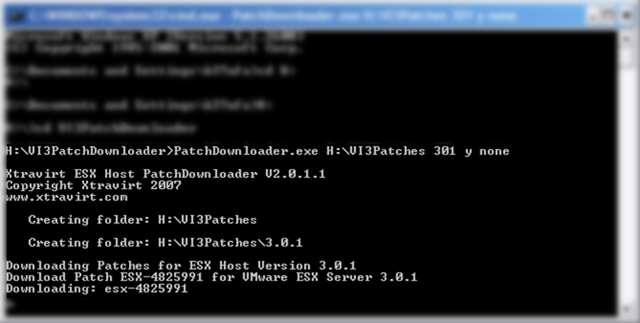
De tool in actie:

VI3Patchdownloader2

Download de tool hier: http://www.xtravirt.com/

VMware: Microsoft Exchange Server 2003 Performance on ESX Server 3


Virtualization has become a mainstream technology, allowing enterprises to consolidate underutilized servers while helping to increase reliability and fault tolerance and simplify load balancing. As organizations embrace
virtualization in the data center, many may consider virtualizing Microsoft Exchange software. This paper suggests how an enterprise-critical messaging application like Microsoft Exchange Server 2003 should be sized and deployed on VMware® ESX Server1 to obtain a satisfactory Quality of Service. Specifically, we examine:

  • The performance implications of running Exchange Server 2003 on a virtual machine versus a physical system.
  • The performance of Exchange Server 2003 in virtual machine configurations when “scaling-up” (adding more processors to a machine) and “scaling-out” (adding more machines).

This paper discusses the performance and scalability of Exchange Server 2003 when it is deployed within virtual machines hosted by VMware ESX Server 3.0.1 on a Dell® PowerEdge® 6850 server with a Dell-EMC CX500 FC SAN. The Heavy user profile from Microsoft’s Exchange Server 2003 Load Simulator benchmarking tool was used to simulate the Exchange workload. Results indicated that a uniprocessor virtual machine can support up to 1,300 Heavy users. Our experiments also show that consolidating multiple instances of these uniprocessor Exchange virtual machines on a PowerEdge 6850 can cumulatively support up to 4,000 Heavy users while still providing acceptable performance and scaling.

Download de white paper hier: http://www.vmware.com/

Bron: http://vmblog.com/

VMWare: DiskLib_Open() failed


Toen ik een back-up gemaakt met vmbk.pl (zie de volgende posts: backup Restore) wilde gaan restoren, liep ik tegen de volgende foutmelding aan:

vmbkimporterror2

Hier is helaas geen oplossing voor dus heb ik een workarround bedacht.

Download Veeam FastSCP hier. Upload daarna het VMDK bestand naar het VMFS volume. Maak daarna een nieuwe VM aan en koppel de VMDK aan. Nu zou de VM weer moeten werken en de restore tijd is vele malen korter.

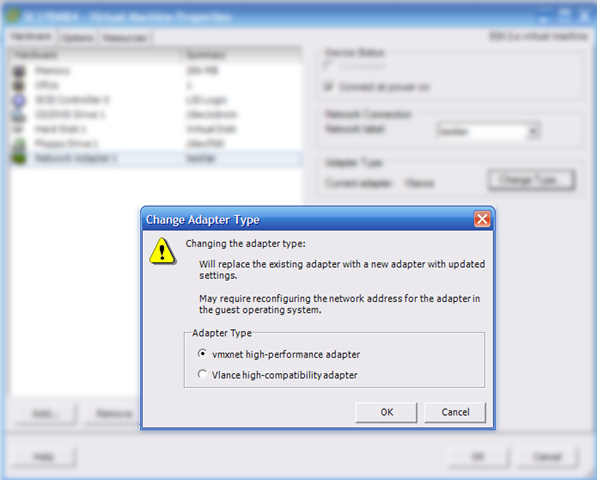
Vergeet na het aanmaken van de VM niet de netwerkkaart om te zetten naar VMXNET.

change_vmnic

Windows: Slow Logons using Windows XP Within a domain


Het kan zijn dat het inloggen op een Windows XP machine die lid is van een domain echt enkele minuten duurt. Dit gaat als volgt: De gebruiker voert zijn of haar username en password in. Vervolgens blijft het scherm een a twee minuten staan en gebeurd er niks. Daarna werkt de PC gewoon zoals normaal.

Hoe kun je dit oplossen:

Open de desbetreffende group policy die op de pc wordt uitgevoerd. Daarna voer je de volgende instelling door:

Computer Configuration–>Administrative Templates–>System–>Logon, verander “Always wait for the network at computer startup and logon” naar ENABLED.

Bron: http://www.tweakxp.com/

Tool: Screenshot captor


Screenshot Captor is a program for taking screenshots on your computer. It’s different from other screenshot utilis in several notable ways:

  • Optimized for taking lots of screenshots with minimal intervention.
  • Smart autonaming of files, and ability to embed textual comments in files.
  • Good multi-monitor support.
  • Highly configurable to make it work the way you want it to; stays out of your way in the system tray.
  • Lots of capture modes: Multimon (multiple monitors), Desktop, Active Window, Region, Windows Object. Each mode has a hotkey for quick access.
  • Unique Cool Effects, including automatic active window enhancement (see pictures below).
  • Unsurpassed support for 3rd party user configurable tools, including file browsers and image editors; extend the program to do whatever you need by interfacing it with other programs.
  • Slimline sidebar file browser provides full shell operations.
  • Optional automatic image file versioning.
  • Seamless integration with Unicode Image Maker tool.
  • – Automatically finds boundaries of non-rectangular/themed windows.
  • – Autoscroll capture for windows too big for screen.
  • – Deluxe thumbnail maker.
  • – Quick PostCapture PopUp Dialog.
  • – Quick Screenshot Emailer Menu.

Download de tool hier: http://www.donationcoder.com/


Bron: http://4sysops.com/