Citrix: ICA Client 10.150


newcitrixlogo

Voordat je deze update gaat installeren, lees dan eerst even de onderstaande quote van Michael Roth:

After installing this version (10.150) of the client, you can no longer use Citrix Streaming Clients Package.msi to install the Streaming Client because the package contains an older version of Program Neighborhood Agent. Instead, use Citrix Streaming Client.msi.

Also, the version of the Citrix Streaming Client that shipped as Citrix Streaming Clients Package.msi is not compatible with Version 10.150 of the Presentation Server Client because it contains an older version of Program Neighborhood Agent. If you installed the Streaming Client using Citrix Streaming Clients Package.msi and want to upgrade to Version 10.150 of the Presentation Server Client, you must complete the following steps in order:

• Uninstall Citrix Streaming Clients Package.msi to uninstall the Streaming Client
• Install ica32pkg.msi to install Version 10.150 of the Presentation Server Client
• Install Citrix Streaming Client.msi to install the Streaming Client

Finally, know that, after installing this version of the client, you can no longer downgrade to an earlier version of the client.

Voor meer informatie zie: CTX115453 

De Admin Guide vind je hier: CTX112190

De download vind je hier: http://www.citrix.com


Bron: http://www.thincomputing.net/comment.php?comment.news.3657

Citrix: Performance of CPS based on Citrix Provisioning Server


Wilco van Bragh van http://sbc.vanbragt.net heeft een artikel geschreven waarin hij een normale Citrix Presentation server(dus met fysieke hardware) vergelijkt met een virtuele Citrix Presentation server welke word aangeboden via Citrix Provisioning Server (voorheen Ardence).

Hieronder zie je een plaatje van zijn testomgeving.

Lees de rest van het artikel hier: http://sbc.vanbragt.net

Office: Microsoft Office Compatibility Pack for Word, Excel, and PowerPoint 2007 File Formats 3.0


In een eerdere post over How To Open Docx With Word 2000 vertelde ik al over de office compatibility pack. Deze is inmiddels aangekomen bij Versie 3.0. Meer informatie over de File conKB924074

Mocht je in word 2000 of 2002 gebruiken maken van een word 2007 document met daarin complexe scripts. Lees dan eerst KB925451

Download het pakket hier: www.microsoft.com

Voor de administrators onder ons is er nu ook een ADM file gemaakt waarmee je het e.e.a. kunt instellen. Deze ADM kun je hier downloaden: http://www.microsoft.com

Bron: http://bink.nu/

VMware: Virtualize SQL Server?


Op deze vraag heeft VMware een antwoord namelijk de volgende whitepaper: SQLServerWorkloads.pdf.

De bovenstaande whitepaper is een performance study van VMware en HP over hoe je een  SQL server wel of niet moet Virtualiseren.

Dit is de conclusie van de performance study:

The performance results we describe in this paper support the conclusion that running Microsoft SQL Server 2005 inside VMware virtual machines can provide an effective production-ready platform for running transaction-processing workloads.
Your IT organization can leverage the sizing data we present in this white paper to deploy Microsoft SQL Server successfully using VMware Infrastructure 3. By comparing effective workload throughput and resource utilization for your datacenter with the results presented in this paper, you can design and size your virtualized environment to meet your SLA targets.
The number of actual users and transactions you can support in a production environment will, of course, depend on the specific applications used and the intensity of user activity. The results of
Conclusions 12 VMware SQL Server Performance in a VMware Infrastructure 3 Environment
our tests clearly demonstrate that in a VMware Infrastructure 3 environment, the transaction throughput scales almost linearly even as the number of clients increases, for every configuration we tested. Our results show that the throughput rate of UP virtual machine is comparable for 32-bit and 64-bit environments. However, for SMP virtual machines, the throughput rate is slightly higher in a 64-bit environment compared to a 32-bit environment. Further, SMP virtual machines can service a higher number of users. One disadvantage of SMP virtual machines is that they have higher CPU costs per transaction than UP virtual machines. From a performance perspective, we recommend using SMP virtual machines rather than UP virtual machines for Microsoft SQL Server, and if possible, a 64-bit environment if your application stack supports it.

Internet Explorer: Default Search Engine


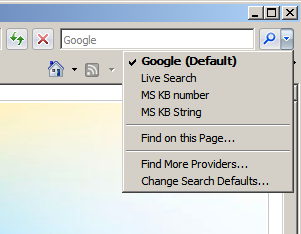
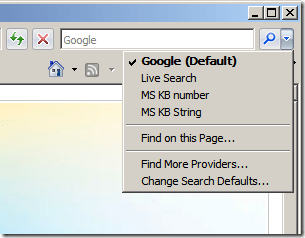
In deze post vind je een aantal registry tweaks voor de Internet Explorer Search Engine.
ie7kbsearchprovider


Google als default Search Engine

Kopieer de onderstaande tekst in notepad en sla deze op als ie7googlesearch.reg.

Windows Registry Editor Version 5.00

;Add Google as a Search Engine
[HKEY_CURRENT_USER\Software\Microsoft\Internet Explorer\SearchScopes\{A5816146-54D7-4DEF-B045-53B0E67878FD}]
“DisplayName”=”Google”

;Add Google as a Search Engine
[HKEY_CURRENT_USER\Software\Microsoft\Internet Explorer\SearchScopes\{A5816146-54D7-4DEF-B045-53B0E67878FD}]
“URL”=”
http://www.google.com/search?q={searchTerms}&rls=com.microsoft:{language}&ie={inputEncoding}&oe={outputEncoding}&startIndex={startIndex?}&startPage={startPage}”

;Add Google as a Search Engine
; Export your own Key here as it may be different
[HKEY_CURRENT_USER\Software\Microsoft\Windows\CurrentVersion\Internet Settings\Connections]
“SavedLegacySettings”=hex:3c,00,00,00,c1,00,00,00,01,00,00,00,00,00,00,00,00,00,00,00,00,00,00,00,04,00,00,00,00,00,
00,00,a0,7b,ae,ef,9e,48,c6,01,01,00,00,00,02,00,00,00,c0,a8,01,66,00,00,00,00,00,00,00,00,6f,00,6f,0
0,74,00,25,00,5c,00,54,00,45,00,4d,00,50,00,00,00,44,00,3b,00,2e,00,56,00,42,00,53,00,3b,00,2e,00,56
,00,42,00,45,00,3b,00,2e,00,4a,00,53,00,3b,00,2e,00,4a,00,53,00,45,00,3b,00,2e,00,57,00,53,00,46,00,
3b,00,2e,00,57,00,53,00,48,00,00,00,79,00,73,00,74,00,65,00,6d,00,33,00,32,00,5c,00,57,00,62,00,65,0
0,6d,00,00,00,00,00,00,00,00,00,00,00,00,00,00,00,

;Make Google DEfault Search Engine
[HKEY_CURRENT_USER\Software\Microsoft\Internet Explorer\SearchScopes]
“DefaultScope”=”{A5816146-54D7-4DEF-B045-53B0E67878FD}”

;Phishing Filter Automatic
[HKEY_CURRENT_USER\Software\Microsoft\Internet Explorer\PhishingFilter]
“Enabled”=dword:00000002

; Export your own Key here as it may be different
[HKEY_CURRENT_USER\Software\Microsoft\Windows\CurrentVersion\Internet Settings\Connections]
“SavedLegacySettings”=hex:3c,00,00,00,c4,00,00,00,01,00,00,00,00,00,00,00,00,00,00,00,00,00,00,00,04,00,00,00,00,00,
00,00,a0,7b,ae,ef,9e,48,c6,01,01,00,00,00,02,00,00,00,c0,a8,01,66,00,00,00,00,00,00,00,00,6f,00,6f,0
0,74,00,25,00,5c,00,54,00,45,00,4d,00,50,00,00,00,44,00,3b,00,2e,00,56,00,42,00,53,00,3b,00,2e,00,56
,00,42,00,45,00,3b,00,2e,00,4a,00,53,00,3b,00,2e,00,4a,00,53,00,45,00,3b,00,2e,00,57,00,53,00,46,00,
3b,00,2e,00,57,00,53,00,48,00,00,00,79,00,73,00,74,00,65,00,6d,00,33,00,32,00,5c,00,57,00,62,00,65,0
0,6d,00,00,00,00,00,00,00,00,00,00,00,00,00,00,00,

Importeer daarna de ie7googlesearch.reg en de default search is aangepast naar google.

Let op! dit is een current user setting. Dit dien je dus voor alle users via een script of iets dergelijks uit te voeren.

Search Engine voor het zoeken naar KB artikelen van MS

Kopieer de onderstaande tekst in notepad en sla deze op als ie7kbsearch.reg

Windows Registry Editor Version 5.00

; add search MS Knowledgebase by KB number (just type the number in the search box)
[HKEY_CURRENT_USER\Software\Microsoft\Internet Explorer\SearchScopes\MSKBnumber]
“DisplayName”=”MS KB number”
“URL”=”
http://support.microsoft.com/?kbid={SearchTerms}”

;add search MS knowledgebase by string (type the string in the search box)
[HKEY_CURRENT_USER\Software\Microsoft\Internet Explorer\SearchScopes\MSKBString]
“DisplayName”=”MS KB String”
“URL”=”http://support.microsoft.com/search/default.aspx?query={SearchTerms}”

Importeer daarna de  ie7kbsearch.reg en de KB search engine word aangemaakt.

Let op! dit is een current user setting. Dit dien je dus voor alle users via een script of iets dergelijks uit te voeren.

Microsoft: Application Virtualization 4.5 Beta


softgrid.jpg

Ruben Spruijt stuurde mij een e-mail over zijn nieuwste artikel over Microsoft Application Virtualization. Dit artikel heeft hij op http://www.brianmadden.com geplaatst en beschrijft de nieuwe features over de beta van Microsoft Application Virtualization 4.5.

Microsoft Application Virtualization is de nieuwe naam voor het product Softgrid wat Microsoft in 2006 overgenomen heeft van Softricity.

Microsoft hoopt in de zomer van 2008 dit product uit te brengen.

Het artikel vindt je hier: http://www.brianmadden.com/content/article/Microsoft-announces-Application-Virtualization-45

Meer informatie over het downloaden van de Beta vind je hier: http://blogs.technet.com/virtualworld/archive/2007/11/12/microsoft-application-virtualization-4-5-is-open-for-public-beta.aspx

Windows: Offline Defragmentation of The Active Directory database


Ik was vandaag genoodzaakt om een offline defragmentatie uit te voeren op een domain controller. Dit heb ik gedaan door het volgen KB232122.

In deze post laat ik jullie via screenshots zien hoe dit in zijn werk gaat.

Let Op! Doe deze tutorial alleen als je door een KB van Microsoft word gevraagd om dit te doen.

Continue reading “Windows: Offline Defragmentation of The Active Directory database”

VMware: VirtualCenter 2.0.2 Update 2


Quote van de VMware Website:

VirtualCenter 2.0.2 Update 2 release includes all the fixes from the VirtualCenter 2.0.2 Update 1 release and also includes fixes for certain globalization issues. These globalization fixes are primarily for the Japanese and German releases of VirtualCenter.

This release is intended for any customer who is installing the English version of VirtualCenter on a non-English operating system. Customers using the English version of VirtualCenter on an English operating system can upgrade to either VirtualCenter 2.0.2 Update 1 or VirtualCenter 2.0.2 Update 2. Both of these Update releases cover the same set of resolved/known issues with the exception of the globalization fixes present in Update 2.

This maintenance release includes changes to VirtualCenter Management Server and VI Client software. If you upgrade a VirtualCenter Server host using this maintenance release, you must also upgrade all VI Client hosts. You can upgrade the Windows client hosts by downloading the software from an upgraded VirtualCenter Server host, or by selecting VI Client from the VirtualCenter installation startup page.

Lees hier de release notes: http://www.vmware.com/support/vi3/doc/releasenotes_vc202u2.html

En download de update hier: http://www.vmware.com/download/vi/


Bron: http://blogs.vmware.com/news/2007/11/vmware-virtualc.html