
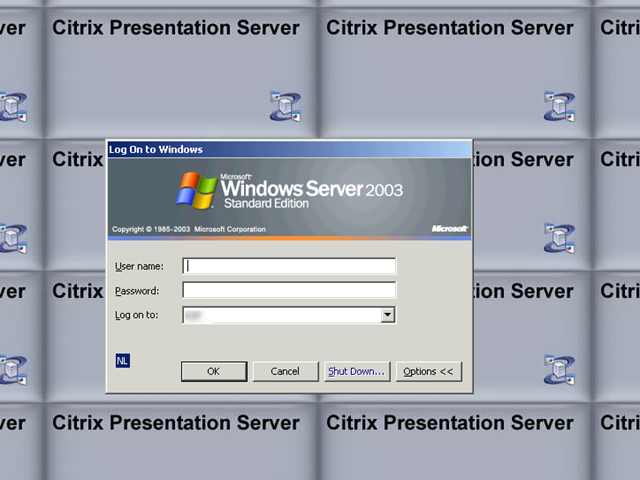
Nadat ik een nieuwe Citrix / Terminal server had opgebouwd en voor de eerste keer wilde inloggen kreeg ik tot mijn schrik het onderstaande scherm te zien.
Toen dacht ik slim te zijn door de volgende twee bestanden te verwijderen:
Nadat ik een nieuwe Citrix / Terminal server had opgebouwd en voor de eerste keer wilde inloggen kreeg ik tot mijn schrik het onderstaande scherm te zien.
Toen dacht ik slim te zijn door de volgende twee bestanden te verwijderen:


vkernel is momenteel nog in beta maar wat je er nu mee kunt is veel belovend. Hieronder vind je een quote van de website
It’s time to take charge of your ESX resources. With a simple download, you can put the power of VKernel’s Chargeback and Capacity appliances to work for you to immediately see who’s using what, how much, and what to bill them. And it’s all presented in easy-to-use, customizable reports.
As a certified – VWware virtual appliance partner, we’re driving innovation in the virtual appliance market—delivering instant, measurable results to enterprises like yours.
- Justify and recover mounting IT costs
- Plan and manage capacity—with ease
- Optimize performance with high availability
- Scale your enterprise seamlessly and painlessly
verder vind
meer informatie vind je hier: http://www.vkernel.com/

In de Presentation Server 4.5 release is er een nieuwe feature bijgekomen genaamd Farm Monitoring. Binnen deze feature worden alle wijzigingen binnen het Farm bijgehouden en kun je deze later weer inzien.

In deze post laat ik zien hoe je deze feature configureerd.
Continue reading “Citrix: Presentation Server 4.5 Monitoring Feature”


Hieronder zie je de binnenkant van een Dell VESO server. De VESO server kanworden voorzien van 2 QuadCore AMD Barcelona processoren (zie http://direct2dell.com/ voor meer info), max 128GB intern geheugen (16 dimm slots), max 20 network interfaces en de 10Gbit/s optie komt eraan.
Deze server is standaard voorzien van een 32MB ESX 3i flash memory kaart zodat je deze gelijk in kunt zetten in je datacenter.

Op de blog Direct2Dell staat een introductie (demo) filmpje over ESX3i op een DELL VESO Server. Pretty cool als je het mij vraagt  .
.
What do we mean by simplifying IT? Take a look at this vlog, where David Schmidt, manager of the Virtualization Solutions Engineering team provides a preview of the demo system that Mark Jarvis and Diane Greene used at VMworld. See their keynote here (registration required). More details coming over the next few months.
Zie het filmpje hier: http://direct2dell.com/one2one/archive/2007/09/13/29651.aspx

Lijst met veel gratis software. Gevonden op het forum van msfn.org
http://www.msfn.org/board/lofiversion/index.php/t70784.html
De volgende lijst kwam ik tegen op de blog: http://www.onetipaday.com
http://www.connectedinternet.co.uk/2007/09/07/the-best-free-software-for-your-computer/

Voordat je verder kunt gaan met het aanpassen van de Lotus Notes 6.5.4. nl.MSI heb je Orca nodig.
Download Orca hier: http://www.technipages.com/
Open de MSI in Orca.
Pas vervolgens de volgende waardes aan on de Property table

Daarna sla je het MSI bestand op.
Vervolgens kun je het silent installeren via MSIEXEC /I “installdir\Lotus Notes 6.5.4 nl.MSI” /Qn
Ik wilde de nieuwe web interface gaan instelleren op een nieuwe server. Nadat ik .Net 2.0 en JSharp 2.0 geïnstalleerd had kreeg ik de onderstaande foutmelding

Volgens CTX114133 dien je de laatste versie van de Access Management Console te installeren. Deze kun je downloaden via je mycitrix account.

VMware heeft de source code van de VMware Tools vrijgegeven aan de open source community.
Hier een quote van de website:
With the Open Virtual Machine Tools project, we are hoping to solve this and other related problems. The tools are currently composed of kernel modules for Linux and user-space programs for all VMware supported Unix-like guest operating systems. They provide several useful functions like:
- File transfer between a host and guest
- Improved memory management and network performance under virtualization
- General mechanisms and protocols for communication between host and guests and from guest to guest
Meer info vind je hier http://open-vm-tools.sourceforge.net/
Ik kwam op vmtn deze post tegen van chimera. In deze post plaatste hij het onderstaande script.
rem -------------------------------- START ---------------------------------------
rem Joins the server to the domain and turns off autologon

rem Set location for registry file
set REGFILE="%TEMP%\\autooff.reg"
echo.

rem ****** Registry Header ******
echo Windows Registry Editor Version 5.00  %REGFILE%
echo.  %REGFILE%

rem ****** Turn off autologon setting ******
echo [HKEY_LOCAL_MACHINE\\SOFTWARE\\Microsoft\\Windows NT\\CurrentVersion\\Winlogon]%REGFILE%
echo "AutoAdminLogon"=%REGFILE%
echo "DefaultUserName"=%REGFILE%
echo "DefaultPassword"=%REGFILE%
echo. %REGFILE%

rem ****** Import registry and cleanup ******
regedit /s %REGFILE%
del %REGFILE%
set REGFILE=

rem Join computer to the domain
rem Join computer to the domain
netdom join %COMPUTERNAME% /Domain:domainname /OU:"OU=server,DC=domain,DC=local" /UserD:domainadmin /PasswordD:password

rem Reboot
shutdown /r /t 10

rem -------------------------------- END -----------------------------------------
Om dit script in je eigen omgeving te kunnen gebruiken, hoef je alleen de volgende waarden aan te passen.
/Domain
/OU
/UserD
/PasswordD
Opmerking
Als je dit script wilt gebruiken, dan mag de server of pc nog niet bekend zijn in de Active Directory. Is dit wel het geval dan werkt het script niet.
 ICT-Freak.nl