

De VMBK backup duurt helaas iets te lang om elke dag een een full backup te maken. Nu heb ik voor gekozen om twee backup scenario’s te gaan gebruiken.
- Daily: de VM’s waar de data veel veranderd. Bijvoorbeeld DC’s, fileserver en mailserver
- Full: Alle VM’s. Deze job draait in het weekend. Dit zijn VM’s die vrij statisch zijn.
Dit kun je als volgt configureren. Maak twee vmbk-config.conf files aan (vmbk-daily.conf en vmbk-full.conf). Maak vervolgens een lijst van VM’s die met de daily backup meegenomen moeten worden. Pas het VMX bestand aan van de VM’s door BACKUP.SESSION=daily toe te voegen. Als laatste stap maak je de cronjob aan.
Deel van de vmbk-daily.conf file. Het enige wat je veranderd is de BackupSession value, zodat alleen de VM’s met BACKUP.SESSION=daily in het vmx bestand, worden meegenomen in de backup.
Daily
Configfile VMBK:
#Version 1.01.2
#set timeout
#Timeout=60000
Timeout=180000
#minimum space required for add RedoLOG
minspaceforRedo=1024
# backup esx host configuration
backupESX=true BackupSession=”daily”
#directory where file
destination=/mnt/esxbackup/
Deel van de vmbk-full.conf file. Dit bestand is default gebleven met betrekken tot de BackupSession value.
Full
Configfile VMBK:
#Version 1.01.2
#set timeout
#Timeout=60000
Timeout=180000
#minimum space required for add RedoLOG
minspaceforRedo=1024
# backup esx host configuration
backupESX=true BackupSession=”default”
#directory where file
destination=/mnt/esxbackup/
VMX bestand
Voor de dagelijkse backup voeg je de onderstaande regel toe aan het VMX bestand:
BACKUP.SESSION=daily
Cronjob
De volgende stappen moeten worden gedaan om de cronjob aan te maken.
Open /etc/cron.d/vmbk-cron.sh en voeg de onderstaande regels toe of pas deze aan naar jouw situatie.
#!/bin/bash
#copy on directory /etc/crond and configure /usr/local/etc/vmbk-default.conf
30 23 * * 1 root /usr/local/bin/vmbk.pl -C /usr/local/bin/vmbk-daily.conf > /dev/null 2>&1
30 23 * * 2 root /usr/local/bin/vmbk.pl -C /usr/local/bin/vmbk-daily.conf > /dev/null 2>&1
30 23 * * 3 root /usr/local/bin/vmbk.pl -C /usr/local/bin/vmbk-daily.conf > /dev/null 2>&1
30 23 * * 4 root /usr/local/bin/vmbk.pl -C /usr/local/bin/vmbk-daily.conf > /dev/null 2>&1
30 23 * * 5 root /usr/local/bin/vmbk.pl -C /usr/local/bin/vmbk-daily.conf > /dev/null 2>&1
30 5 * * 0 root /usr/local/bin/vmbk.pl -C /usr/local/bin/vmbk-full.conf > /dev/null 2>&1
30 23 * * 1 staat voor Maandag om 23:00 uur wordt de backup gestart.
Door de onderstaande commando’s uit te voeren wordt de cronjob geïnstalleerd:
cp /usr/local/bin/vmbk-cron.sh /etc/cron.d/vmbk-cron.sh
chmod 755 /etc/cron.d/vmbk-cron.sh
touch /etc/cron.d/vmbk-cron.sh
Met het volgende commando herstart je de cron service:
/sbin/service crond restart
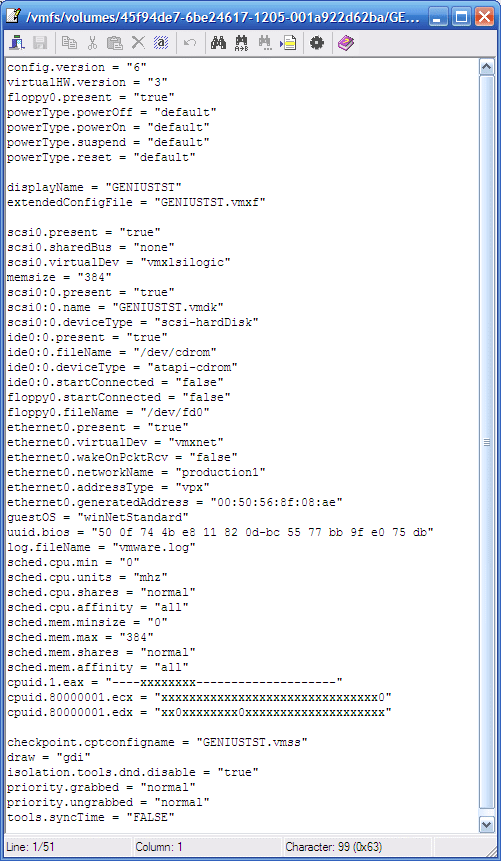
Zie deze post over het aanpassen van vmx bestanden.






 ICT-Freak.nl