
If you want to use Microsoft Excel in your Powershell scripts.
$Excel = New-Object -Com Excel.Application
$Excel.visible = $True
$Excel = $Excel.Workbooks.Add()
You can run into the following error:

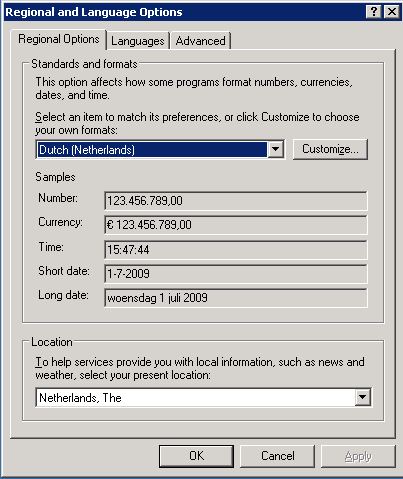
The work around for this issue was changing the Regional Options back to United States International.

Microsft created a work around. More info can be found in in: KB320369
guillermooo has created a port to Powershell. Just copy the following code and you should be able to open Excel and create a new workbook.
I didn’t test this script block so let me know if it works 😉
$ci = new-object system.globalization.cultureinfo "en-US"

$e = New-Object -COM "Excel.Application"
$e.Visible = $True
$e.UserControl= $True
$books = $e.Workbooks
$books.PSBase.GetType().InvokeMember( `
       "Add", `
       [system.reflection.bindingflags]::InvokeMethod, `
       $null, $books, $null, $ci)
Source: http://stackoverflow.com/questions/687891/exception-automating-excel-2007-with-powershell-when-calling-workbooks-add















 ICT-Freak.nl
