Tool: RVTools


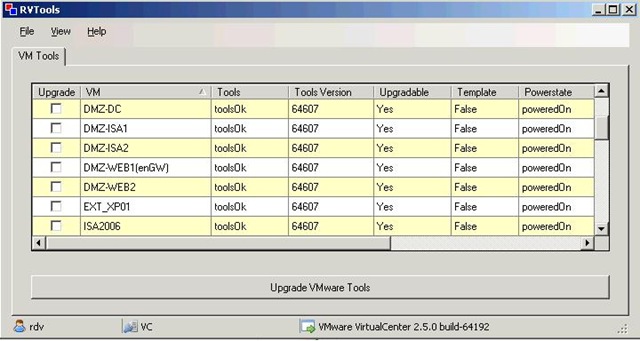
Rob de Veij poste een handige tool op het forum van vmug. De tool heet RVTools en hiermee is het mogelijk om via een ESX server of via een VC server de status van de VMware Tools uit te lezen.

Hieronder zie je een printscreen van de tool:

rvtools 

De onderstaande informatie vind je op de website van RVTools:

RVTools is a small .NET 2.0 application which uses the VI SDK  to display  the version of the installed VMware tools.
It also shows if the tools are upgradeable. The button “Upgrade VMware Tools” starts an UpgradeTools_Task for every selected VM.

Je kunt de tool hier downloaden: http://rvtools.deveij.com/ 

Update: de site lijkt niet goed te werken in IE7. Mocht je problemen hebben (stap dan over op firefox 😉 ), dan vind je hier de direct downloadlink: http://home.planet.nl/~veij0002/RVTools.msi.

VMware: Releases new versions of Workstation, Server and Player


VMware Workstation 6.0.3

Download de nieuwe versie hier: http://www.vmware.com/download/ws/ 

Lees hier de release notes: http://www.vmware.com/support/ws6/doc/releasenotes_ws6.html


VMware Server 1.05

Download de nieuwe versie hier: http://www.vmware.com/products/server/

Lees hier de release notes:  http://www.vmware.com/support/server/doc/releasenotes_server.html


VMware Player 2.03

Download de nieuwe versie hier: http://www.vmware.com/download/player/

Lees hier de release notes:  http://www.vmware.com/support/player2/doc/releasenotes_player2.html

VMware: Microsoft NLB and VMware ESX 3.x.x


Mocht je gaan werken met Microsoft NLB binnen een VMware ESX 3.x.x omgeving, dan is handig om de volgende twee artikelen te lezen:

Ik ben bezig met een test opstelling voor een Citrix Webinterface NLB opstelling. Zodra ik dit klaar heb zal ik mijn ervaringen posten.


Petje bedankt voor het posten in het vmug forum.

VMware: After cloning a SLES VM the Network interface is dead


Rick Toet mailde mij een document over hoe je het volgende probleem op kan lossen:

Omschrijving:

Na het clonen van een SLES VM is de netwerkkaart niet te connecteren met het netwerk.

Ook niet bij het aanmaken van een nieuwe Nic.

Bij een IFCONFIG –a is de netwerkkaart wel te zien maar heeft geen IP adres of subnetmask.

Maar wel een macadres

Oorzaak:

SLES kent een verkeerd macadres/name toe aan de virtuele netwerkkaart

Donwload hier de pdf: nicvirtualsuselinuxserverwerktniet.pdf

Rick melde mij dat alle credits uitgaan naar Michael Hayes van de firma Plusine

Veeam: Backup for VirtualInfrastructure


Features and Benefits

Backup and Replication in one – Now, with Veeam Backup, organizations can benefit from a unified solution for both backup and replication to protect mission-critical virtual machines from both hardware and software failure.

Fast file-level recovery – Veeam Backup’s fast file-level recovery feature allows ESX administrators to restore individual files in minutes without extracting the full VM image to a local drive. An administrator can extract individual files to the latest state or to a specific point in time.

Data de-duplication – Veeam Backup allows you to minimize storage costs for virtual machine backups. Veeam’s data de-duplication and compression are especially valuable when backing up multiple virtual machines created from a single template or VMs with gigs of free space on their logical drives.

Replication rollback – A replica produced with Veeam Backup can be restored to a particular point in time. This protects your infrastructure against both hardware and software corruptions.

Integration with VCB – Veeam Backup is the only backup solution that enables you to run incremental backup and replication jobs through VMware Consolidated Backup (VCB). Using its proprietary “VCB on-the-fly” technology, Veeam Backup doesn’t require extra space on the VCB proxy for VM images, allowing for faster backups. Veeam Backup operates either with or without VCB, letting the user choose whether to use VCB or not for either standard backup or replication backup.

Integration with Veeam FastSCP – To date, Veeam’s FastSCP freeware has been downloaded more than 28,000 times, and Veeam Backup shares a common interface with FastSCP, allowing users to manage backup, replication and file copying from a single screen.


Hieronder plaats ik wat printscreens van het product.

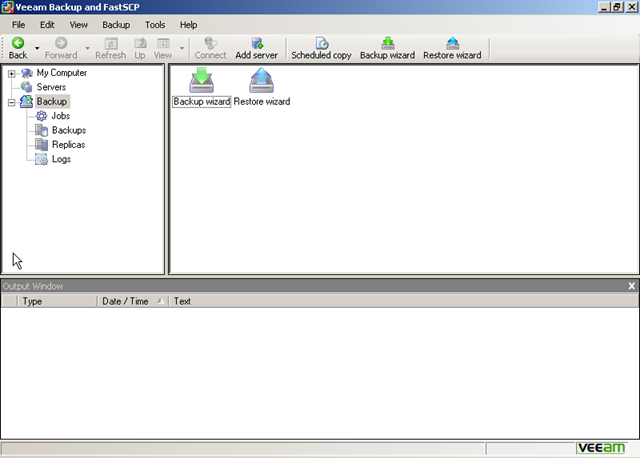
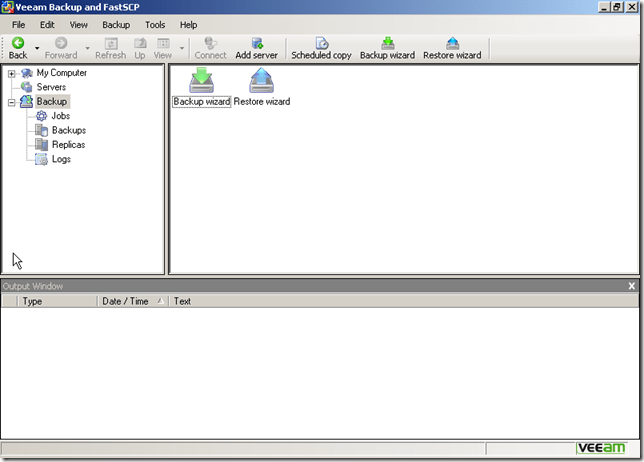
Het beginscherm:
veeam_Backup_1

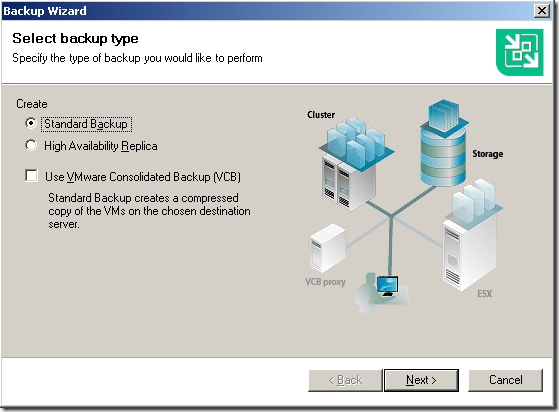
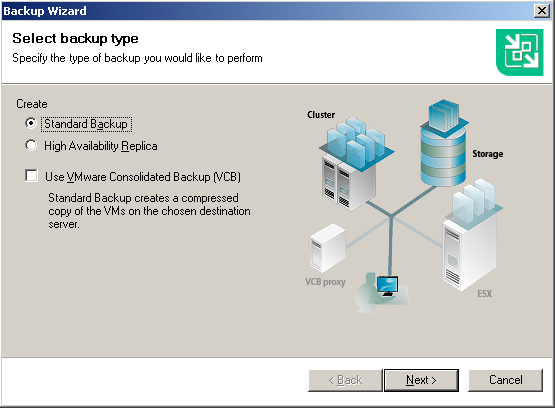
De backup wizard:

veeam_Backup_2

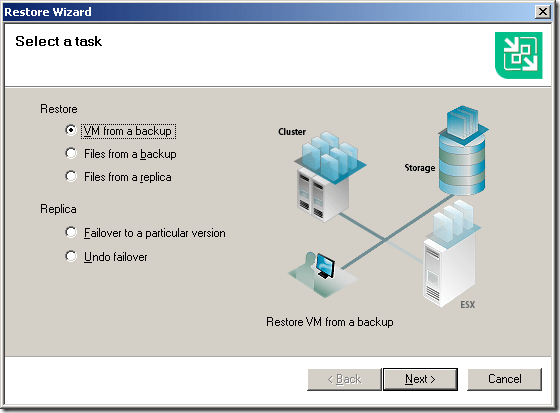
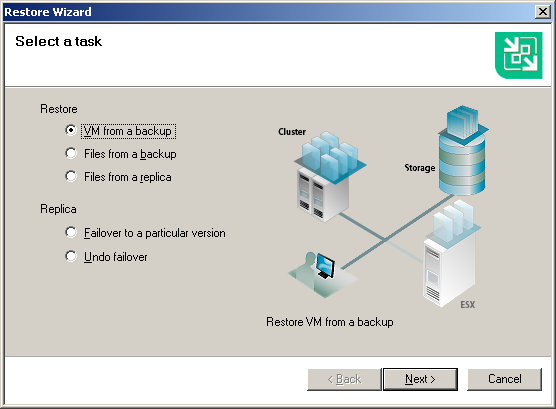
De Restore Wizard.

veeam_Backup_3

Meer info en een demo filmpje vind je hier: http://veeam.com/vmware-esx-backup.html

En nog een filmpje van Veeam @ VMworld Europe 2008
VMware: VirtualCenter 2.5 Passthrough Authentication


Voeg -passthroughAuth -s vchostname toe aan de Target regel.

vc25passthrough

Deze informatie komt van: http://www.vinternals.com/2008/02/virtualcenter-25-passthrough.html

At last! VMware have finally added passthrough auth support in VC 2.5, although it is currently classed as experimental. This is something I have been waiting / asking about for quite some time. And even better, it’s on by default! To use it, simply add -passthroughAuth -s vchostname to the end of the shortcut used to launch the VI 2.5 client.
By default it uses the Negotiate SSPI provider, however since they have fully implemented the interface you can change that behaviour to use Kerberos by adding the following within the <vpxd> node in the vpxd.cfg file on the VC server:
<sspiProtocol>Kerberos</sspiProtocol>

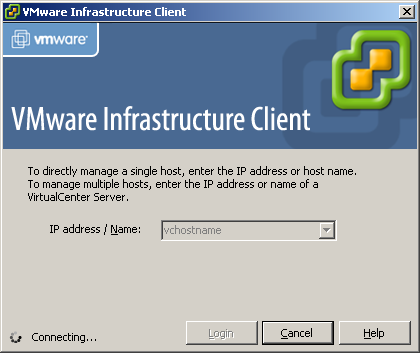
Daarna zie je het volgende scherm als je de VI client opstart:

vc25passthrough_2

How To: Manually Assigning a MAC Address to a VM


Ga Control PanelNetwork Connections Properties van je network connection. Daarna ga je naar het tabblad Advanced  NetworkAddress hier kun je een MAC address invoeren via een vaste waarde van bv. 123456789E12.

Je kunt een bestaand MAC address gebruiken van een fysieke netwerkkaart welke je niet meer gebruikt en toch weg doet! Je kunt ook een MAC address genereren via een tool generate_mac_addresses_for_vmware.

image

Je kunt het ook via een parameter in het vmx bestand doen. Hoe dit werkt lees je hier: http://www.vmware.com/support of http://www.vmware.com/support/

Jurgen bedankt voor de tip!!