
Download de Installshield tuner hier: ISTuner7_AdobeAcrobat.exe
Download hier de documentatie: Tuner user document
Bron: www.adobe.com
Download de Installshield tuner hier: ISTuner7_AdobeAcrobat.exe
Download hier de documentatie: Tuner user document
Bron: www.adobe.com

When i was looking for ADM files for the brand new browser from Microsoft. I didn’t get any resources from the Microsoft website. So i had to look for myself and find the new ADM files. I was able to find the new files within the folder C:\Windows\Inf
The new files are called:
i created a zip with the ADM files which you can download here: IE7ADM.zip
Pete attended me on the following link www.microsoft.com.
Thanks

Toen ik vandaag een VM via de VMWare Converter had geïmporteerd op mijn ESX3 server, was een de optie “Install VMware-Tools” vergeten aan te zetten. Dit houd in dat de VMware tools niet bijgwerkt worden.
Ik opende mijn VM en merkte dat deze slecht performde doordat de VMware-Tools niet gestart waren.
Ik gaf de optie “Install VMware-Tools” mee aan de VM en toen kreeg ik onderstaande scherm:
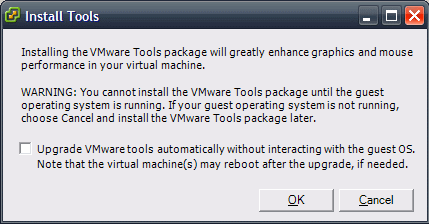
Dit is een nieuwe feature in ESX3.0.1 die ik voor het eerst werkende zag.
Na een geschedulde reboot van de VM performde hij weer goed.

The installation works the same as it was with SP1.
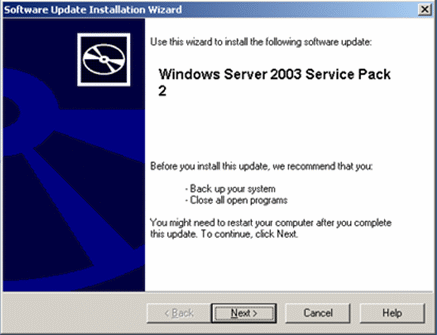
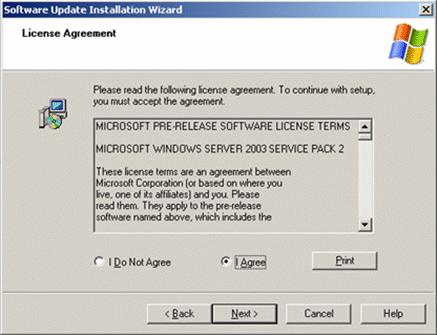
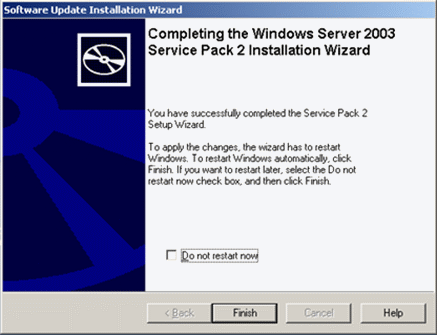
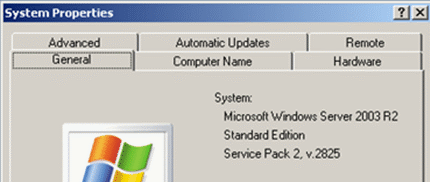
If you like to test it yourself, do not doubt and get your copy here: www.microsoft.com.
Toen ik vandaag een snapshot wilde maken van een VM op ESX3 kreeg ik de foutmeling: Unable to create a snapshot. Deze melding komt voor omdat de Disk mode van de VM op Independent staat.
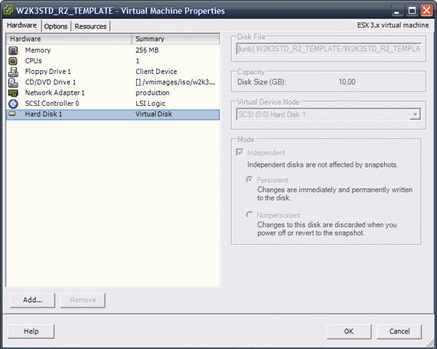
Als je een snapshot wilt maken moet deze optie uit staan.
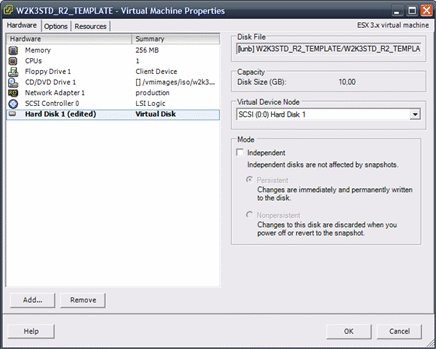
Zodra de optie uit staat kun je weer snapshots aanmaken.

Some information about Windows Server 2003 SP2
Top 10 Reasons to Install Windows Server 2003 SP2
Windows Server 2003 Service Pack 2 (32-bit x86) Release Candidate
Windows Server 2003 Service Pack 2 x64 Edition Release Candidate
The Windows Server 2003 SP2 F.A.Q.
When i tried to use the vmnet2 device with VMware Server i get the following error:
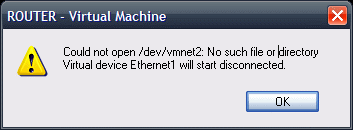
In the folder /dev there wasn’t a device called vmnet2.
The solution for this problem is simple, first you need to stop all the virtual machines and restart the host. After the system is restarted run the /usr/bin/vmware-config.pl script.
After completing the wizard the device /dev/vmnet2 should be recreated.
Voor het testen van software en het studeren voor examens heb ik de onderstaande lab omgeving gebouwd.

Deze omgeving bestaat uit een machine die ik gebouwd heb om als iSCSI target te fungeren en een ESX3 server waar ik al mijn test labs op kan starten. Na wat troubleshooten met ESX3 in combinatie met Openfiler werkt alles perfect.
Zoals je kunt zien in onderstaand printscreen krijgt mijn ESX3 server keurig alle Luns binnen.

En zo ziet mijn lab eruit binnen VI3

Hieronder vindt je een overzicht van de gebruikte hardware:
ESX Server
Software
Openfiler
Software

The problem with OpenFiler is: it assigns LUN 0 to each volume.
If you want to use more than one LUN within ESX, it results in double LUN ID’s. ESX wants unique LUNs so you have to change the configuration of openfiler.

On your openfiler box open the file /etc/ietd.conf.
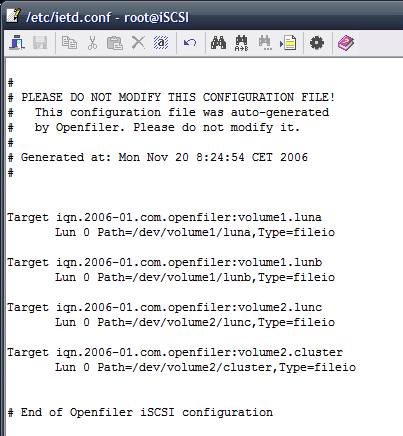
You see a 2-line record for each volume, and each one has Lun id 0.
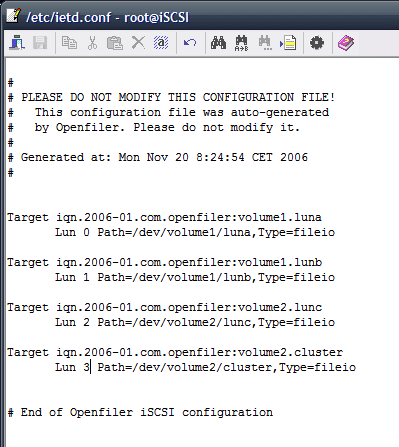
Change the Lun id’s to unique ascending numbers and save/close the file.
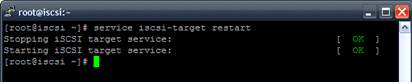
Restart the iSCSI services with the following command: service iscsi-target restart
The final step, start a “Rescan” with the option “Scan for New Storage Devices”

Citrix has released a support document CTX111720. In this document you can read about the know issues with Microsoft Office System 2007 on Citrix Presentation Server 4.0.
 ICT-Freak.nl